
Everything your gym needs to run the day

From the first membership to day close: explore the tools your team uses for sales, collections and attendance, and see how to follow club operations from one place.

Memberships and sales

Start with a clear member record, choose a package and follow the subscription throughout its term.

Member records

Keep every member detail and contact in one place.

  • Search and filter by membership status.
  • Package, coach and payment method.
  • A subscription profile with dates, balances and payments.

Packages and subscriptions

Define what your club offers and enroll members from the first step.

  • Prices, discounts and services linked to a membership.
  • New membership enrollment and a clear preview.
  • Renew, freeze, unfreeze or cancel.

Membership changes

Review change requests before they are approved.

  • Membership change requests.
  • Recorded review decisions.

Corporate accounts

Connect a company account to its associated members.
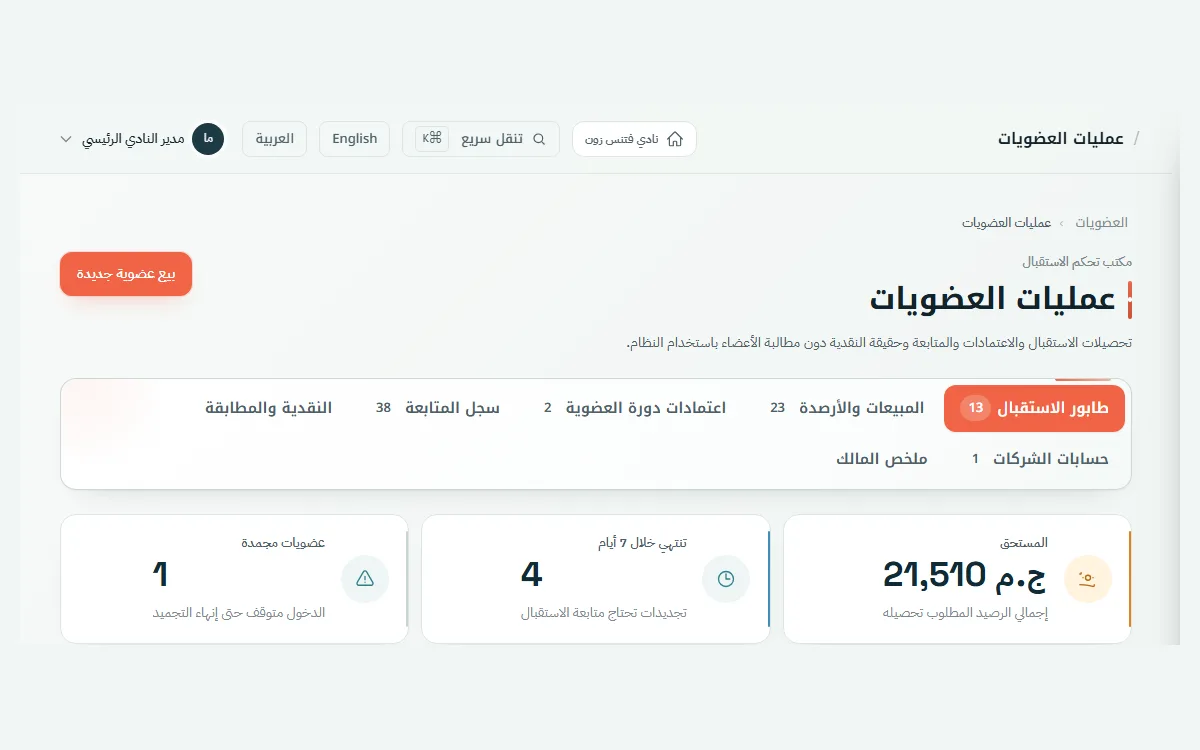
  • One company account.
  • A clear list of linked members.
Inside Club Portal · Memberships and sales · Illustrative demo data
Membership records and subscription statuses in Club Portal

Installments and collections

Make the first payment clear to the member, then track the balance and when it is due.

Installment plans and collections

Flexible plans that fit the way your club sells memberships.

  • Installment templates and plans.
  • Down payments and due-date schedules.
  • Preview installments before enrollment.

Collection queue

See what is due today and what needs follow-up.

  • Upcoming and overdue amounts.
  • Outstanding balance per subscription.
  • Contact history for follow-up.

Receipts and payments

Keep a record of what has been paid and why.

  • Downloadable payment receipts.
  • Payments linked to the subscription.

Access and attendance

Help reception know who is entering the club and keep a record the team can review.

Access cards and QR

Issue and manage access credentials from the member record.

  • Issue, revoke and regenerate credentials.
  • Guest passes.
  • Scan a card or record entry manually.

Daily attendance

Follow who entered and who is still inside the club.

  • Attendance logs and reports.
  • Members currently inside.
  • Check-in and check-out records.

Offline review

Receive attendance recorded offline and review conflicts.

  • Offline attendance records.
  • Correction and exception requests.
  • Approval or rejection decisions.

Attendance day close

Close the attendance day and reopen it with the right permission.
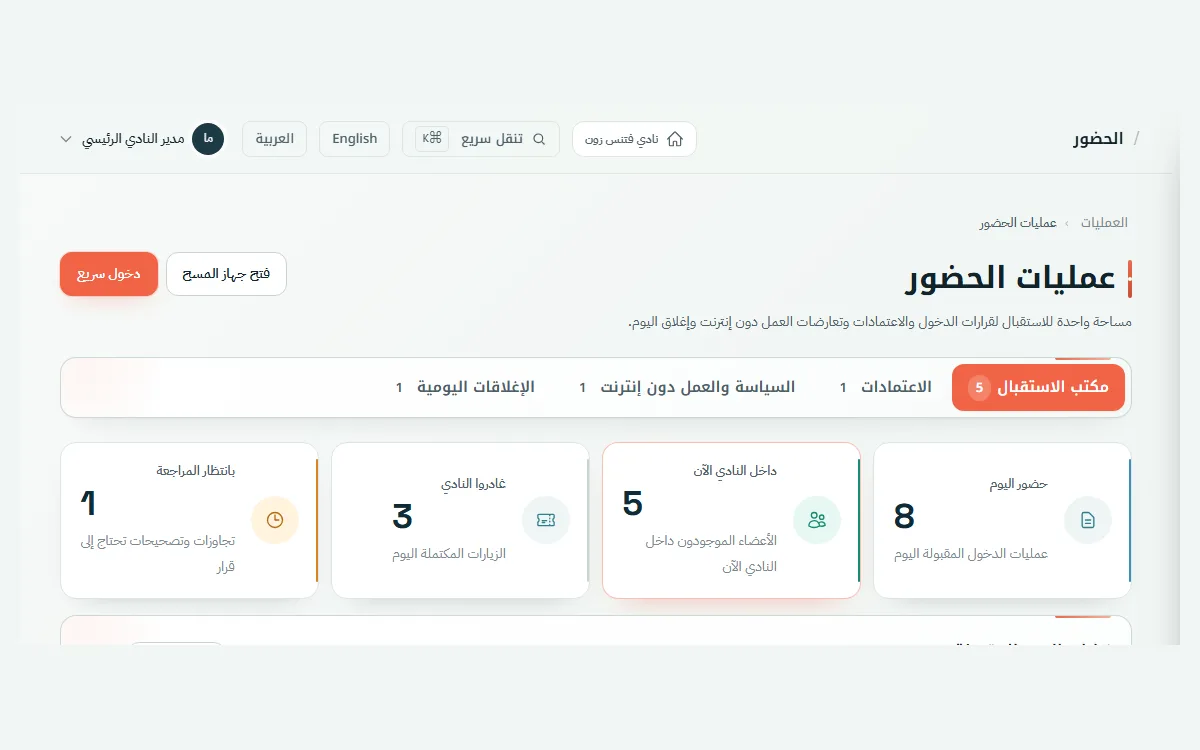
  • Review closure records.
  • Reopen a day when authorized.
Inside Club Portal · Access and attendance · Illustrative demo data
Club attendance screen showing check-ins and check-outs

Schedules and coaches

Make opening hours, classes and coach work clear to your team and members.

Schedules and classes

Organize club hours, classes and sessions in one place.

  • Opening hours and women-only hours.
  • Class and session schedules.
  • Schedule templates and capacity.

Bookings and capacity

See available times and the attendance connected to them.

  • Session bookings.
  • A shareable public schedule.
  • Attendance and capacity tracking.

Training and nutrition programs

Assign the right program to each club member.

  • Exercise programs.
  • Nutrition programs.
  • Member assignment.

Coach profiles

Bring coach services and daily operations into one profile.

  • Availability, exceptions and assignments.
  • Branches, documents and expiry dates.

Staff and earnings

Define responsibilities and record what coaches are owed.
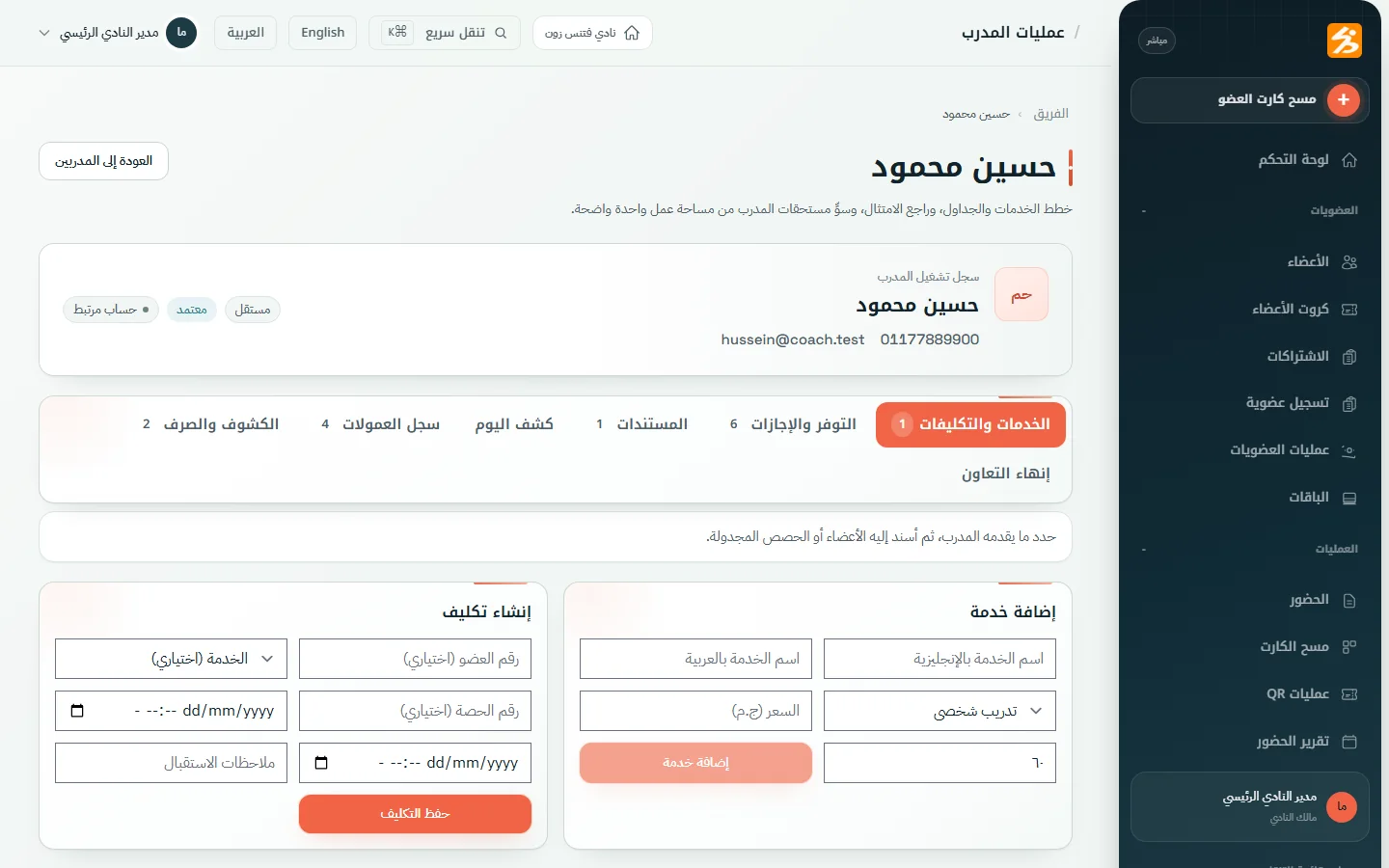
  • Rosters and session substitutes.
  • Commission plans and earnings statements.
  • Staff accounts and permissions.
Inside Club Portal · Schedules and coaches · Illustrative demo data
Coach profile with operational details and earnings in Club Portal

Finance and day close

Review what was collected and what remains due, then close the cash drawer with clear figures.

Invoices and expenses

Bring the club’s everyday financial movements into view.

  • Invoices, payments and expenses.
  • Chart of accounts and balances.
  • Club financial transactions.

Daily summary

Compare invoiced, collected and outstanding amounts.

  • Invoiced and collected amounts.
  • Outstanding, overdue and expenses.
  • Payment history over time.

Reconciliations and reports

Review reconciliations and record approval before close.
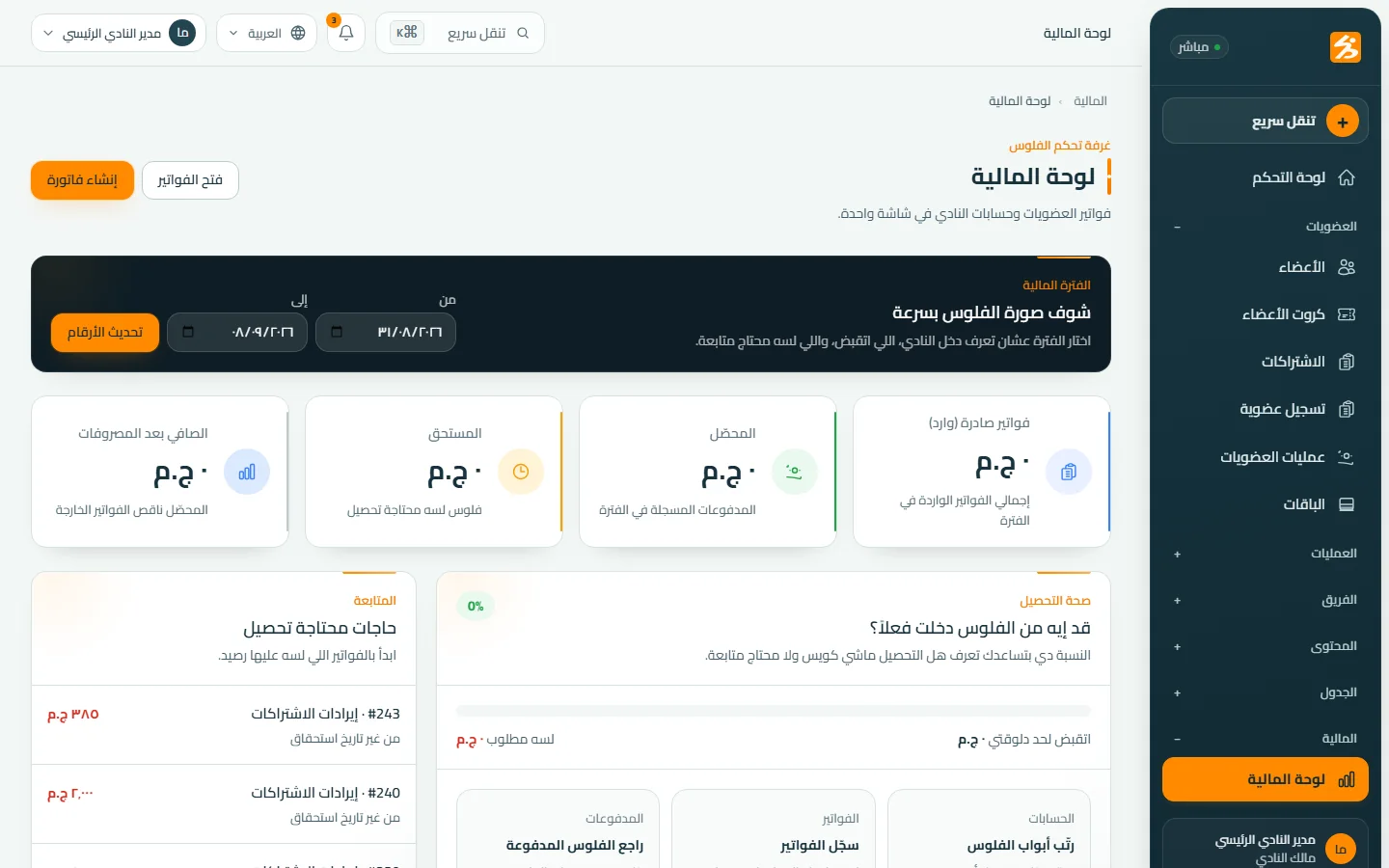
  • Record payment reconciliations.
  • Review and approve.
  • Financial reports for follow-up.
Inside Club Portal · Finance and day close · Illustrative demo data
Financial dashboard showing revenue, collections and expenses

Management and growth

See what needs attention and keep what members see up to date from the same workspace.

Operations dashboard

A quick view of club movement and follow-up work.

  • Memberships, collections and attendance.
  • Performance trends.
  • Expiring memberships.

Permissions and decision history

Define who can act and review the decisions that matter.

  • Role-based permissions.
  • Membership request decisions.
  • Attendance corrections and commissions.

Offers and events

Keep the club’s activities and dates current.

  • Club events and activities.
  • Offers, discounts and dates.
  • Club announcements.

Content and club app

Manage media and content connected to the app experience.

  • Photo and video library.
  • DafitZone app content.

Arabic and EGP

A setup that matches the club day in Egypt.

  • Arabic and English interface.
  • Amounts shown in Egyptian pounds.

See the features in a real operating day

Book a walkthrough of your club’s needs, from member enrollment and collection to attendance and team management.